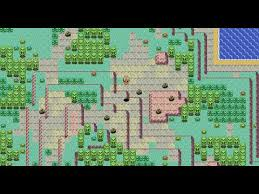

PokéWilds is a fan-made open-world Pokémon-inspired survival game that has gained attention for its unique gameplay style and nostalgic pixel-based design. Unlike official Pokémon titles, PokéWilds is an independent project that focuses on exploration, crafting, and survival mechanics in a procedurally generated world. One of the most common questions among new players is which platforms actually support PokéWilds gameplay and how it can be accessed safely and effectively.
Understanding PokéWilds and Its Availability
What Is PokéWilds?
PokéWilds is an unofficial, open-source game inspired by classic Pokémon titles. It combines survival elements with Pokémon-style exploration, allowing players to explore wild environments, gather resources, and interact with Pokémon-like creatures in a dynamic world.
Official Development Status
PokéWilds is still in active fan development and is not an official Nintendo product. Because of this, it does not appear on mainstream digital stores like Steam, Google Play, or the App Store, and is distributed independently by its developers.
Game Distribution Method
The game is typically distributed as downloadable files from its official community sources. Players usually need to manually install and run it, rather than downloading it through a traditional platform marketplace.
Platforms That Support PokéWilds Gameplay
Windows PC Support
PokéWilds is primarily designed for Windows systems. Most players run the game on Windows PCs where it performs best and receives the most stable support from the development community.
macOS Compatibility
PokéWilds can also run on macOS, but it may require additional setup steps depending on system security settings. Compatibility depends on Java support and how the system handles external applications.
Linux System Support
Linux users can also play PokéWilds, as the game is Java-based and generally cross-platform. However, setup may require manual configuration through terminal commands or compatible Java environments.
Technical Requirements and Setup Considerations
Java Runtime Requirement
PokéWilds requires Java to run properly since it is built using Java-based frameworks. Installing the correct version of Java is essential for smooth gameplay across all supported platforms.
System Performance Needs
Although PokéWilds is not highly demanding, having a stable CPU and sufficient RAM improves performance, especially when exploring large generated worlds or running background processes.
Manual Installation Process
Unlike commercial games, PokéWilds requires manual installation. Users need to download the game files, extract them, and run the executable using a compatible Java runtime environment.
Gameplay Accessibility Across Devices
Desktop Experience Priority
PokéWilds is mainly optimized for desktop systems, especially Windows PCs, where keyboard controls and screen size offer the best gameplay experience.
Limited Mobile Compatibility
Currently, PokéWilds does not officially support Android or iOS devices. Mobile gameplay is not available due to hardware limitations and lack of optimized mobile builds.
Emulator-Based Alternatives
Some users attempt to run PokéWilds through compatibility layers or emulators, but these methods are unofficial and may not provide stable or reliable performance.
FAQs
What platforms support PokéWilds?
PokéWilds mainly supports Windows, macOS, and Linux systems through Java-based compatibility.
Can I play PokéWilds on Android?
No, PokéWilds is not officially available for Android devices.
Is PokéWilds available on Steam?
No, PokéWilds is not listed on Steam or any official game marketplace.
Do I need Java to run PokéWilds?
Yes, Java is required to run PokéWilds on supported platforms.
Is PokéWilds free to play?
Yes, PokéWilds is a free fan-made game available through its official community sources.
Conclusion
PokéWilds is a unique fan-made game that supports multiple desktop platforms, including Windows, macOS, and Linux, with Java as a core requirement. While it offers an engaging open-world Pokémon-inspired experience, it remains limited to PC environments and is not available on mobile devices or official gaming stores. Understanding platform compatibility helps players set up the game correctly and enjoy a smooth and stable gameplay experience.